
This article walks through a worked example: a forex brokerage's customer onboarding team automating document verification. It covers how to define metrics, measure outcomes, calculate ROI, and set decision criteria before expanding automation across other operations.
Quick answer: Measuring AI ROI in fintech operations
AI systems in fintech operations deliver measurable ROI when three conditions align: a process is repetitive and high-volume, baseline metrics are established before implementation, and post-implementation measurement shows a clear reduction in labor hours or error rates. The operating problem, manual processes consuming significant labor cost and creating scaling constraints, must be quantified before any technology choice is made.
Rules-based automation works best on deterministic tasks with clear entry and exit criteria. Generative AI copilots work best on judgment-heavy tasks where the AI assists rather than replaces the human reviewer. The cost of AI implementation and ongoing operation must be weighed against released capacity, reduced error corrections, and increased throughput, not merely against the cost of hiring additional staff.
The workflow and operating decision
Fintech operations face a common constraint: scaling customer onboarding, transaction monitoring, compliance reviews, or invoice processing requires proportional increases in headcount. Each additional agent, compliance officer, or operations analyst adds fixed labor cost without proportional revenue increase. At a certain scale, this creates a bottleneck: either hiring slows growth, or manual error rates climb as existing staff are overloaded.
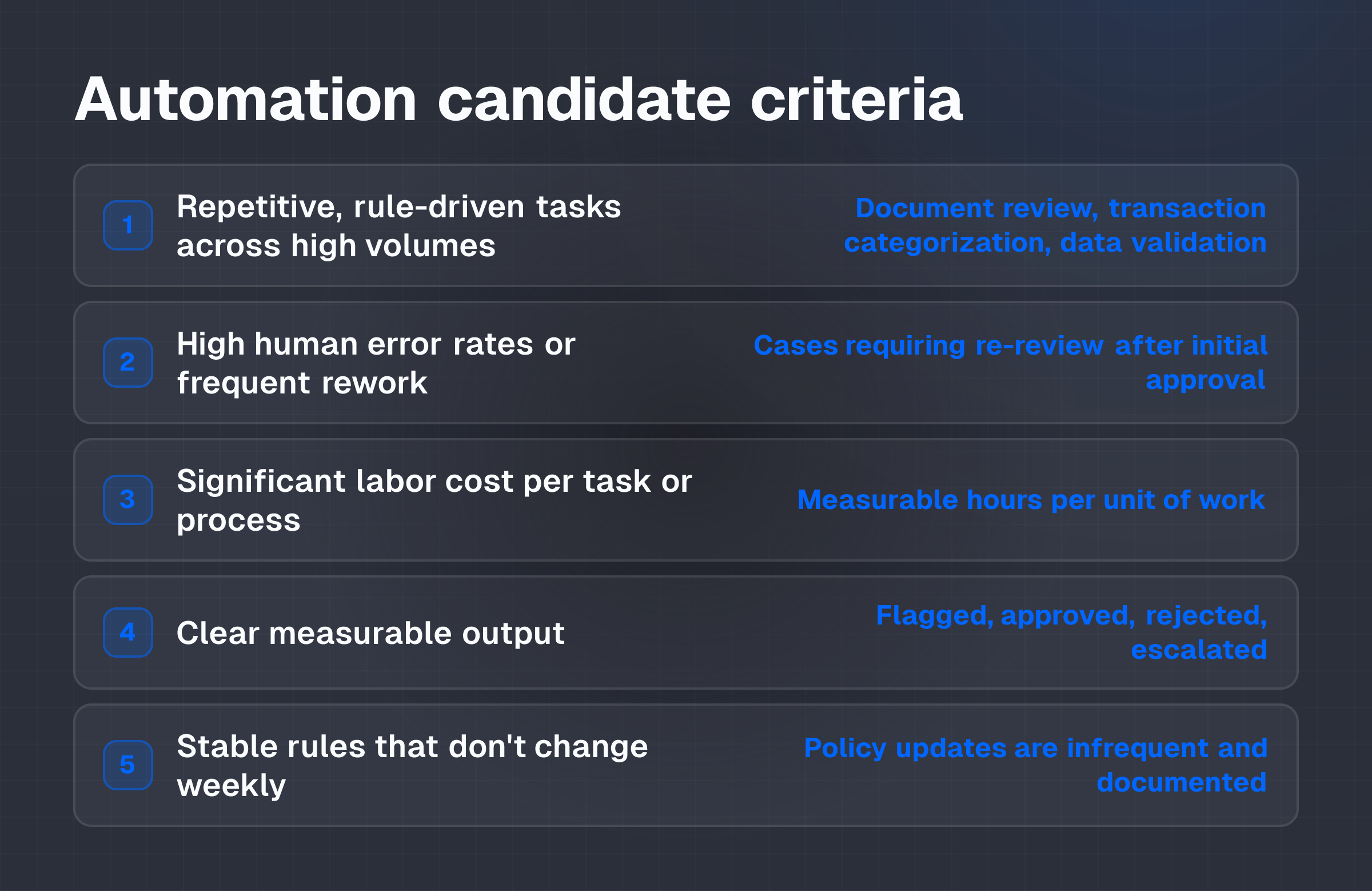
The decision to automate begins with identifying which workflows are candidates. Look for processes with these characteristics:
- Repetitive, rule-driven tasks executed across high volumes (e.g., initial document review, transaction categorization, basic data validation)
- High human error rates or frequent rework
- Significant labor cost per task or process
- Clear measurable output (flagged for review, approved, rejected, escalated)
- Stable rules that don't change weekly
A worked example: a forex brokerage's customer onboarding team. The operations team manually reviews identity documents and proof-of-address submissions for new clients. The workflow currently involves:
- Client submits identity document (passport, ID card) and proof of address (utility bill, bank statement)
- Human reviewer spends 15 minutes per client to verify document authenticity, cross-reference name, date of birth, and address against submitted data
- Reviewer flags discrepancies or unclear documents for escalation
- Team processes 1,000 new clients per week
- Current error rate: 5% of cases require re-review after initial approval
At this scale, the team dedicates roughly 250 hours per week to initial document review alone. Adding more staff to handle volume growth increases operating costs linearly, and training new reviewers takes time. The team is aware that much of the work, extracting text from images, checking name consistency, matching addresses to submitted data, follows clear rules and could be handled by a system.
The decision framework isn't "Can AI do this?" It's "Can we measure this workflow, and does the measurement suggest AI will reduce labor cost or improve throughput?" If the answer is yes, the next question is whether the improvement justifies the implementation cost.
Rules-based automation for high-volume, deterministic tasks
Rules-based automation uses predefined logic to execute tasks without generating new content. It works when the process can be described as: "If condition A and B, then action X; else, flag for human review."
For the onboarding example, a rules-based system might:
- Extract text from submitted documents using OCR (Optical Character Recognition)
- Cross-reference extracted name, date of birth, and address against the submitted data fields
- Flag cases where text doesn't match submitted fields
- Flag documents with low image quality or missing fields
- Approve cases that pass all checks without human review
The system doesn't generate new decisions; it applies fixed rules and categorizes cases. Human reviewers remain responsible for flagged or edge-case documents.
Advantages:
- Predictable performance and error rates
- Lower implementation complexity than generative systems
- Easier to audit and explain (audit trail shows which rule was applied)
- Scaling doesn't require model retraining
Limitations:
- Cannot handle novel or ambiguous cases
- Requires stable rules; frequent policy changes demand system updates
- Initial accuracy depends on rule design and data quality; poor training data produces poor results
- Doesn't improve over time without explicit rule updates
Generative AI assistance for judgment-heavy tasks
Generative AI copilots assist human reviewers by synthesizing data, generating draft outputs, or suggesting next steps. They don't replace the human decision but reduce the effort required to make it.
In a different fintech workflow, compliance reporting, a generative copilot might:
- Summarize transaction history and customer behavior relevant to a Suspicious Activity Report (SAR)
- Flag behavioral patterns that warrant escalation
- Draft an initial SAR narrative based on available data
- Suggest questions for the compliance officer to investigate further
The compliance officer reviews the copilot's work, makes the final determination, and is responsible for the accuracy of the SAR.
Advantages:
- Can handle ambiguous or novel cases
- Reduces time spent on synthesis and drafting
- Improves with feedback and fine-tuning
- Human remains in the decision loop
Limitations:
- Generative output can be inaccurate or hallucinated; human review is mandatory
- Requires careful design to ensure the copilot output actually accelerates work, not adds steps
- More expensive than rules-based systems
- Quality depends on training data and model tuning; garbage input produces lower-quality assistance
- Audit trail is less clear; difficult to explain why the AI suggested a particular output
Common trade-offs and failure modes
Over-automating complex tasks: Attempting to fully automate a task requiring nuanced judgment typically results in higher error rates and more human review time, not less. If a process involves rare edge cases, regulatory judgment calls, or customer relationship considerations, rules-based automation may not reduce labor cost, it may simply shift work from initial processing to exception handling.
Underestimating implementation costs: The cost of AI isn't just the software license. Integration with existing systems, data preparation, staff training, and potential infrastructure upgrades all add to the total. A system that costs $5,000 per month in licensing but requires $50,000 in integration work and $10,000 in training has a higher true cost than the monthly fee suggests.
Ignoring human factors: Staff who fear job loss or feel inadequately trained often resist AI tools, circumvent them, or don't adopt them fully. This resistance can undermine ROI even if the technical system is sound. Change management, clear communication about why the tool is being introduced and how it affects roles, is as important as the tool itself.
Data quality issues: AI systems depend on clean, accurate input data. If the data fed to the system is incomplete, mislabeled, or inconsistent, the system's output will be unreliable. Preparing data often takes longer than building the system.
Distinguishing efficiency from cost savings: A process can become more efficient, fewer errors, faster execution, without actually reducing costs if the saved time isn't reallocated to revenue-generating or cost-saving work. If an AI system cuts document review time by 50% but the freed-up staff aren't redeployed, the cost savings don't materialize.
Baseline measurement: the worked example
Month 1: Establish baseline metrics before any AI system is introduced.
The onboarding team measures:
- Time per task: Average 15 minutes per client document review
- Weekly volume: 1,000 new clients per week
- Total weekly labor: 250 hours (1,000 clients × 15 minutes ÷ 60)
- Error rate: 5% of approved cases flagged on re-review or by compliance audit
- Rework hours: Approximately 12.5 hours per week (1,000 × 5% × 15 minutes ÷ 60)
- Total cost: Team of 7 full-time reviewers at an estimated loaded cost of $65,000 per year per reviewer = $455,000 annual cost for this workflow
The team also records:
- Document rejection rate (documents returned to client for resubmission)
- Time to escalate and resolve rejected documents
- Compliance audit findings related to document review accuracy
Implementation costs: AI system deployment
Illustrative costs (actual costs vary by vendor, architecture, and integration scope):
- Software license: $3,000-$8,000 per month for a document verification and OCR system
- Initial integration: $20,000-$40,000 to connect the system to the onboarding platform, test workflows, and ensure data compliance
- Staff training: $5,000 (half-day workshop for the team on how to use the system, interpret flags, and handle edge cases)
- Data preparation: $10,000-$15,000 to clean historical data and test OCR accuracy on existing document samples
- First-year total: Approximately $75,000-$115,000 (assuming $5,000 monthly license)
Post-implementation measurement: Month 4-5
After the AI system is live for 4-5 weeks, the team re-measures the same metrics:
- Time per task (non-flagged cases): Drops to 3 minutes per client (the system has pre-screened the documents and extracted key data; the human reviewer only confirms matching names and checks for obvious inconsistencies)
- Time per task (flagged cases): Remains 15 minutes (complex discrepancies or low-image-quality documents still require full manual review)
- Flagged rate: 8% of submissions are flagged for human review (up from implicit escalations)
- Approved without human touch: 92% of cases pass system checks and are approved
- Weekly volume processed: Same volume (1,000 clients per week) now requires only 85 hours of human time instead of 250 hours
- Error rate on human-approved cases: Drops to 1% (the system has removed most basic matching errors)
- Rework hours: Approximately 2.5 hours per week (down from 12.5 hours)
Capacity released: 165 hours per week, or approximately 2.5 full-time reviewers worth of capacity.
Avoided future hiring: If the company planned to hire 2 additional reviewers to handle 20% volume growth, that hire is now deferred or unnecessary.
ROI calculation
Illustrative assumption label: The following calculation uses the baseline metrics established in the worked example. Actual figures depend on the organization's labor costs, volume, initial error rate, and system pricing.
Benefits (Year 1):
- Labor cost reduction: 165 hours per week × 50 weeks per year = 8,250 hours released. At a loaded cost of $65,000 per year per reviewer (approximately $31 per hour), this equals $255,750 in annualized labor savings.
- Avoided rework: 10 additional hours per week × 50 weeks = 500 hours saved on re-review. At $31 per hour, this equals $15,500 in avoided rework cost.
- Increased throughput without proportional cost: The team can now process 1,500 clients per week with the same or fewer staff, or maintain current volume with 3 fewer reviewers.
- Total quantifiable benefit (Year 1): $255,750 (released capacity) + $15,500 (rework reduction) = $271,250
Note on released capacity: The $255,750 figure represents available labor hours. It becomes a realized cost saving only if the team is redeployed (to handle volume growth, support other processes, or is reduced headcount). If the released staff remain on the onboarding team with no other work, the cost saving is deferred.
Costs (Year 1):
- Software license: $5,000 × 12 = $60,000
- Initial integration and training: $75,000-$115,000 (spread over Year 1)
- Ongoing maintenance and data infrastructure: $10,000
- Total Year 1 cost: Approximately $145,000-$185,000
ROI (Year 1):
- Net benefit: $271,250 (benefits) − $165,000 (midpoint cost estimate) = $106,250
- ROI percentage: ($106,250 ÷ $165,000) × 100 = 64%
Payback period: Approximately 7-8 months (initial integration and training costs recovered within the first year through labor savings)
Year 2 onwards:
- Annual benefits: $271,250 (assuming volume and labor costs remain stable)
- Annual costs: $60,000 (license and maintenance)
- Net annual benefit: $211,250
- ROI: ($211,250 ÷ $60,000) × 100 = 352%
Capacity vs. cost savings
Distinguish between released capacity and realized cost savings.
Released capacity: The team now has 2.5 full-time reviewers worth of capacity available. This is real freed-up time but isn't a cost saving unless acted upon.
Realized cost savings options:
- Headcount reduction: Remove 2-3 reviewers from the team. Savings realized immediately: approximately $130,000-$195,000 per year in reduced salary and benefits.
- Headcount retention, volume growth: Keep the team intact and use the freed capacity to onboard 500 additional clients per week (50% volume increase). Savings realized as avoided future hiring cost and improved revenue capacity.
- Redeployment: Reassign the freed capacity to compliance review, transaction monitoring, or other bottleneck processes. Savings realized as avoided hiring in those areas or reduced cost per transaction.
The fintech operator must decide which approach aligns with the company's growth strategy and risk tolerance. Headcount reduction delivers immediate cash savings but risks losing institutional knowledge and requires managing attrition. Redeployment delivers longer-term benefit by addressing other cost centers but doesn't reduce total headcount immediately.
Monitoring and review controls
A baseline is only useful if performance is tracked continuously after implementation. Establish monthly or quarterly reviews against the following metrics:
- System accuracy: Percentage of cases flagged that actually required human review; percentage of cases approved that passed subsequent compliance audit
- Labor hours consumed: Actual hours spent on document review, rework, and exception handling; compare to baseline and post-implementation target
- Throughput: Cases processed per week; throughput per human hour
- Error rate trends: Are errors increasing, decreasing, or stable over time?
- Time to resolve: Average time from submission to approval or first escalation
Failure conditions: when to pause or exit
An AI system should be paused or reconsidered if:
- Accuracy drops below acceptable threshold: If the system's flagging accuracy falls below 70% (i.e., only 70% of flagged cases actually required human review, and 30% were false positives), the system is adding review overhead, not reducing it.
- Labor hours don't decrease: If, after 8-12 weeks of operation, the team is still spending 250+ hours per week on document review (instead of the projected 85 hours), the system isn't delivering benefit.
- Error rates increase: If the overall error rate on approved cases rises above baseline, the system may be approving cases that should have been escalated.
- Integration costs exceed budget by >50%: If initial integration costs balloon, the payback period extends significantly; recalculate ROI and decide whether to continue.
- Staff resistance prevents adoption: If reviewers are circumventing the system, manually re-processing approved cases, or refusing to use it, the system cannot deliver benefit.
Retained human responsibilities
The system doesn't eliminate human review. Retained responsibilities include:
- Exception handling: Reviewing flagged or escalated cases and making final approval or rejection decisions
- Quality assurance: Spot-checking a sample of system-approved cases monthly to ensure accuracy
- System oversight: Monitoring for degradation in system performance, data drift, or unintended consequences
- Policy interpretation: If regulations or company policy change, humans determine whether the system's rules need updating
- Customer handling: Responding to clients whose documents were rejected or who dispute the system's decision
These retained responsibilities account for the 8% of cases flagged in the worked example, plus ongoing QA and oversight work. The team cannot be eliminated; it's reconfigured from high-volume front-line processing to exception handling and quality control.
Pilot design
A pilot should be scoped narrowly to minimize risk and clearly test the ROI hypothesis. For the onboarding example:
- Pilot duration: 4-6 weeks
- Pilot volume: Process 1,000-2,000 documents through the system (representing 1-2 weeks of normal volume)
- Pilot scope: All new client document submissions, same business rules as the current process
- Success criteria (measurable before rollout):
- System accuracy: ≥90% (at least 90% of flagged cases actually required human review)
- Labor hours per case: ≤5 minutes on average (including QA overhead)
- Error rate on approved cases: ≤2% (no increase from baseline of 5%, and ideally lower)
- Staff acceptance: ≥80% of team reports the system is usable and reduces their workload
- No compliance exceptions: Zero cases in which the system approved a submission that failed a subsequent compliance audit
Go/no-go decision criteria
Go to full rollout if:
- Pilot meets all success criteria above
- Payback period is ≤12 months (i.e., the cost of the system is recovered within the first year through labor savings or capacity release)
- No unintended consequences discovered (e.g., the system isn't systematically rejecting certain document types or demographics, which could create compliance risk)
No-go or redesign if:
- System accuracy is <85%
- Labor hours per case don't drop below 8 minutes
- Error rate increases above baseline
- Compliance audit flags any concerning patterns in system-approved cases
- Integration costs exceed initial estimate by >40%
Extended pilot if:
- Results are mixed but not decisively negative
- One or two success criteria aren't met, but the operator believes adjustments to rules or training could address the gap
- The team requests additional time to learn the system
- The operator wants to test performance on a larger volume before committing to full rollout
Measurement during rollout
Once the system is live across the entire workflow:
- Weekly metrics: Track labor hours, flagged rate, and approval rate. Compare to baseline and pilot results.
- Monthly metrics: Calculate cost per case processed, error rate, and rework hours. Compare to pre-implementation baseline.
- Quarterly review: Recalculate ROI based on actual labor cost, system cost, and throughput. Adjust projections for Years 2+ based on actual experience.
- Annual review: Assess whether the system should be expanded to other workflows, refined, or replaced. Benchmark against alternative systems or approaches.
Conclusion and next step
The decision to automate a fintech process depends on three factors: whether the process can be measured, whether measurement shows a clear bottleneck or cost center, and whether the cost of the AI system is justified by demonstrable labor savings or capacity release.
Rules-based automation works best on high-volume, deterministic tasks like document verification or transaction categorization, where the system applies fixed rules and humans review exceptions. Generative AI copilots work best on judgment-heavy tasks like compliance drafting or customer escalation, where the AI assists but doesn't replace human decision-making. Both require clear baselines before implementation and rigorous tracking after.
The worked example, a forex brokerage automating document review in customer onboarding, shows a realistic path: 4-8 months of payback with a 64% Year 1 ROI and released capacity for growth. But these numbers apply only if the organization's labor costs, volume, and error rates match the assumptions. If labor costs are lower, volume is lower, or error rates are already minimal, the ROI will be lower and payback will take longer.
The operator should first inventory high-cost, high-volume processes in their business. For each candidate, establish baseline metrics (time per task, error rate, weekly hours, labor cost). Run a pilot on 1,000-2,000 cases to test whether an AI system can reduce labor hours by ≥30% and maintain or improve error rates. If the pilot succeeds, the payback period and Year 2+ ROI should justify the implementation cost. If the pilot doesn't meet success criteria, either redesign the system's rules or move to the next candidate process.
Next action: Identify one high-cost, high-volume workflow in your operations (document review, transaction monitoring, invoice processing, or customer support triage are common candidates). Measure the current state: hours per week, labor cost per task, error rate, and weekly volume. Share these baseline metrics with potential vendors or internal teams to develop a realistic pilot plan and cost estimate. The goal isn't to automate everything, but to measure which processes are worth automating and which aren't.